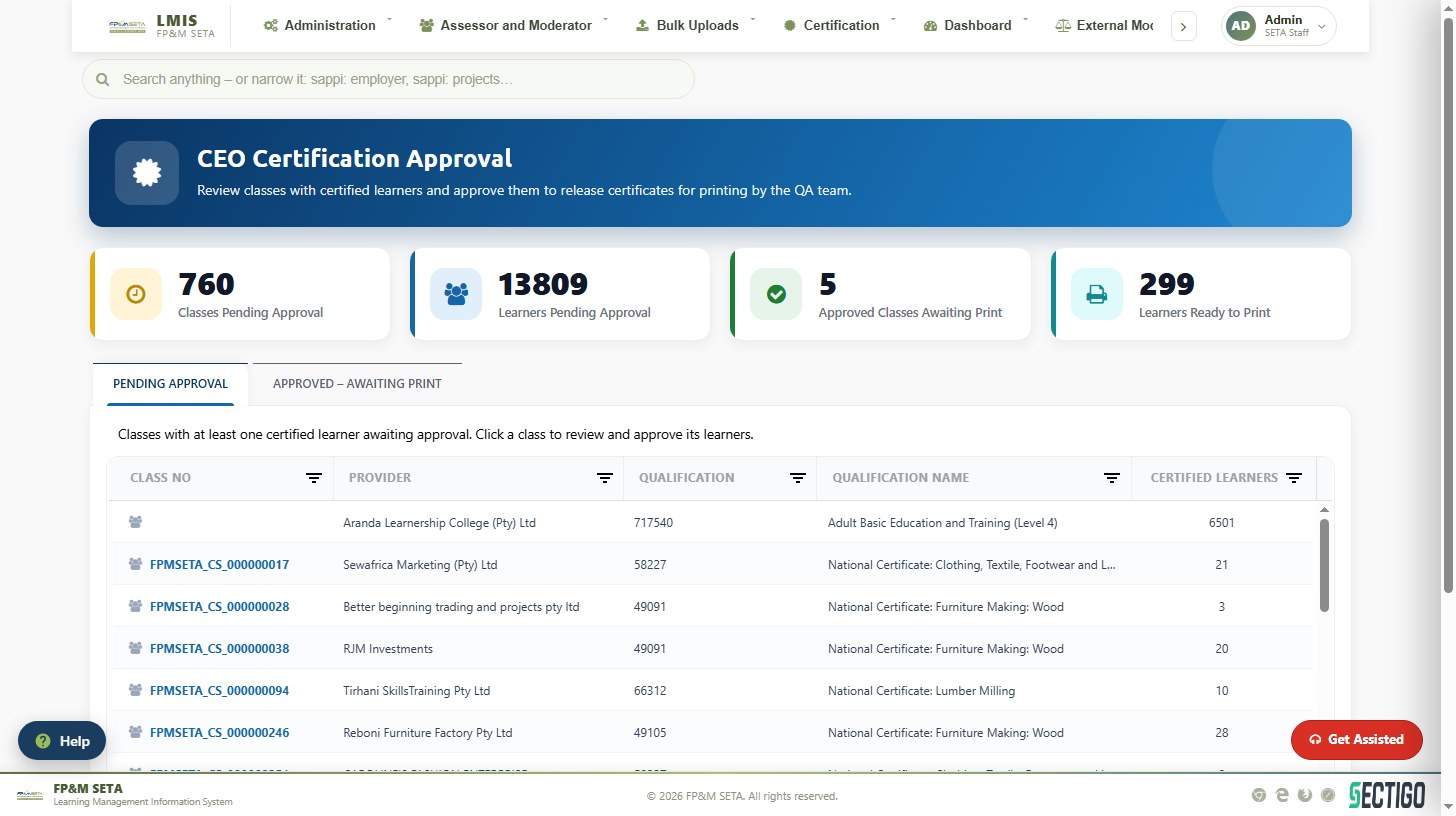
Certification — approval and printing
Learner certificates, statements of results, CEO approval and printing queues.
Learner certificates and statements of results
Certification > Learner has tabs for Certificate, Statement of Results and Replacement; each searches learners independently.
- Enter at least one filter — Provider Code, Provider Name, ID Number, LA Number, Class Number or Qualification — and click Search.
- Tick the learners (or Select All) and click Print Certificate or Print Appendix to print in one batch, or use the buttons on a single row. Preview Certificate and Preview Appendix show the document without printing.
- Acknowledgement Letter issues the letter; Export downloads the list.
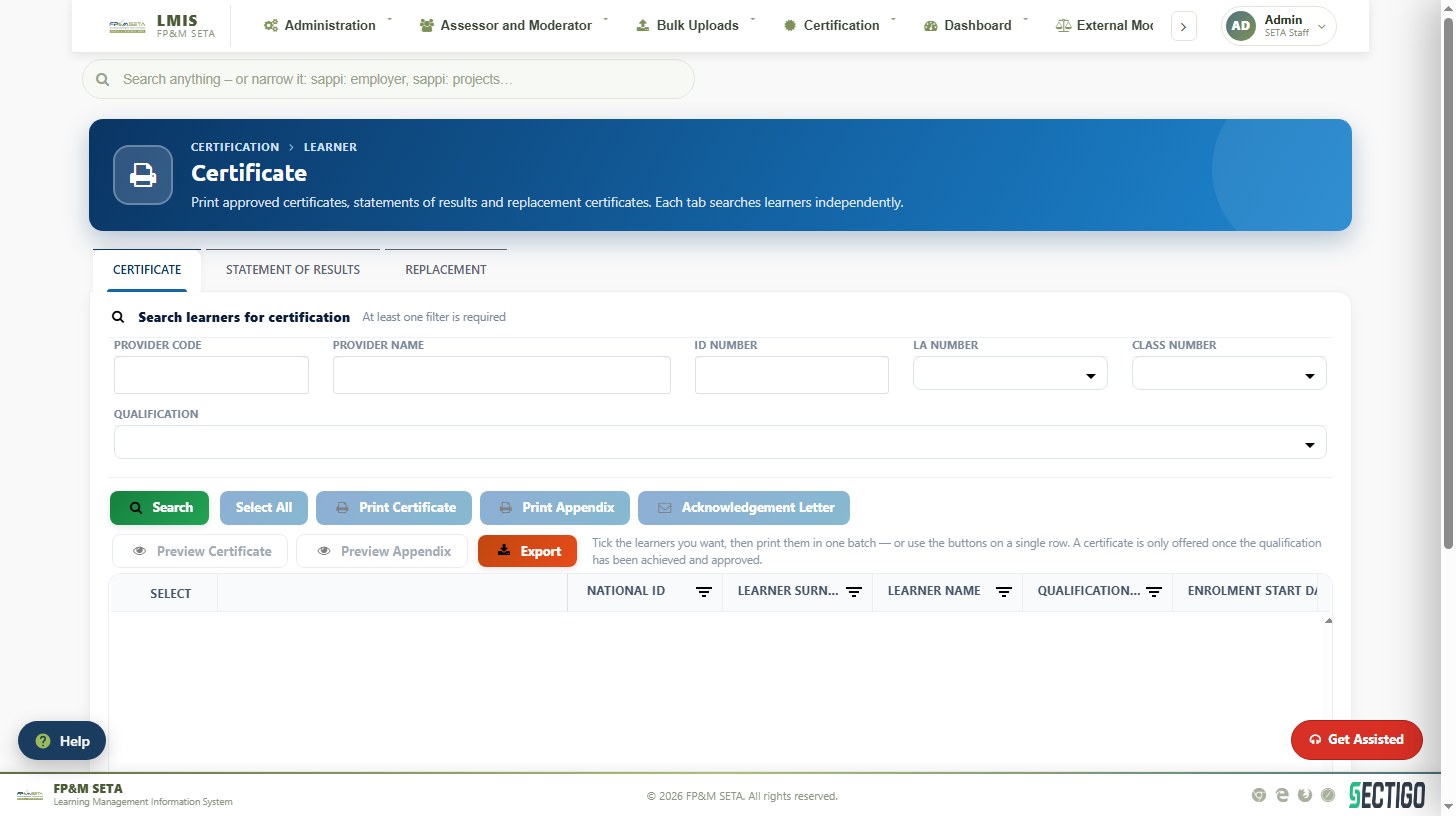
A certificate is only offered once the qualification has been achieved and approved. Learners whose class has not yet been approved by the CEO do not appear.
CEO certification approval and printing
CEO Certification Approval lists classes with certified learners awaiting approval, with cards for Classes Pending Approval, Learners Pending Approval, Approved Classes Awaiting Print and Learners Ready to Print. Click a class on Pending Approval to review and approve its learners; approved classes move to Approved – Awaiting Print, where the QA team prints them from Certification Printing. SOR Approval works the same way for statements of results; Assessor/Moderator and Skills Development Provider print registration certificates.