
Bulk uploads — achievements, DHA validation and corrections
Upload ETQA achievements, validate learners against Home Affairs, correct dates, upload SDPs.
Upload ETQA achievements
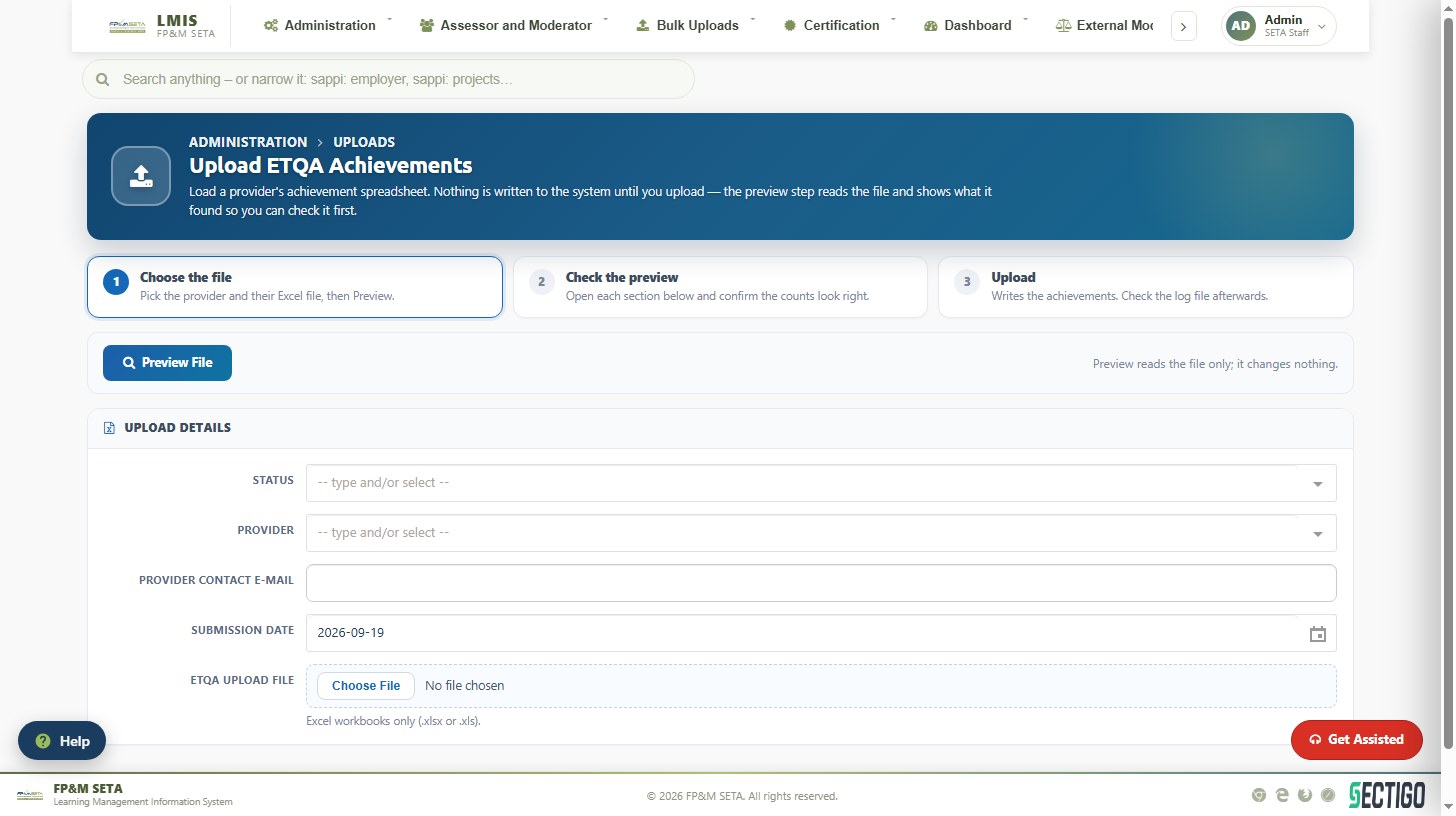
Reads a provider's achievement spreadsheet. Nothing is written until you upload — the preview step shows what was found so you can check it first.
- Choose the file: select the Status and Provider, enter the Provider Contact E-mail and Submission Date and choose the Excel workbook prepared on the Learner Bulk Upload Template.
- Click Preview File and confirm the counts in each section.
- Click Upload to write the achievements. Check the log file; the accepted/rejected e-mail configured in System Settings is sent to the provider.
Bulk learner DHA validation
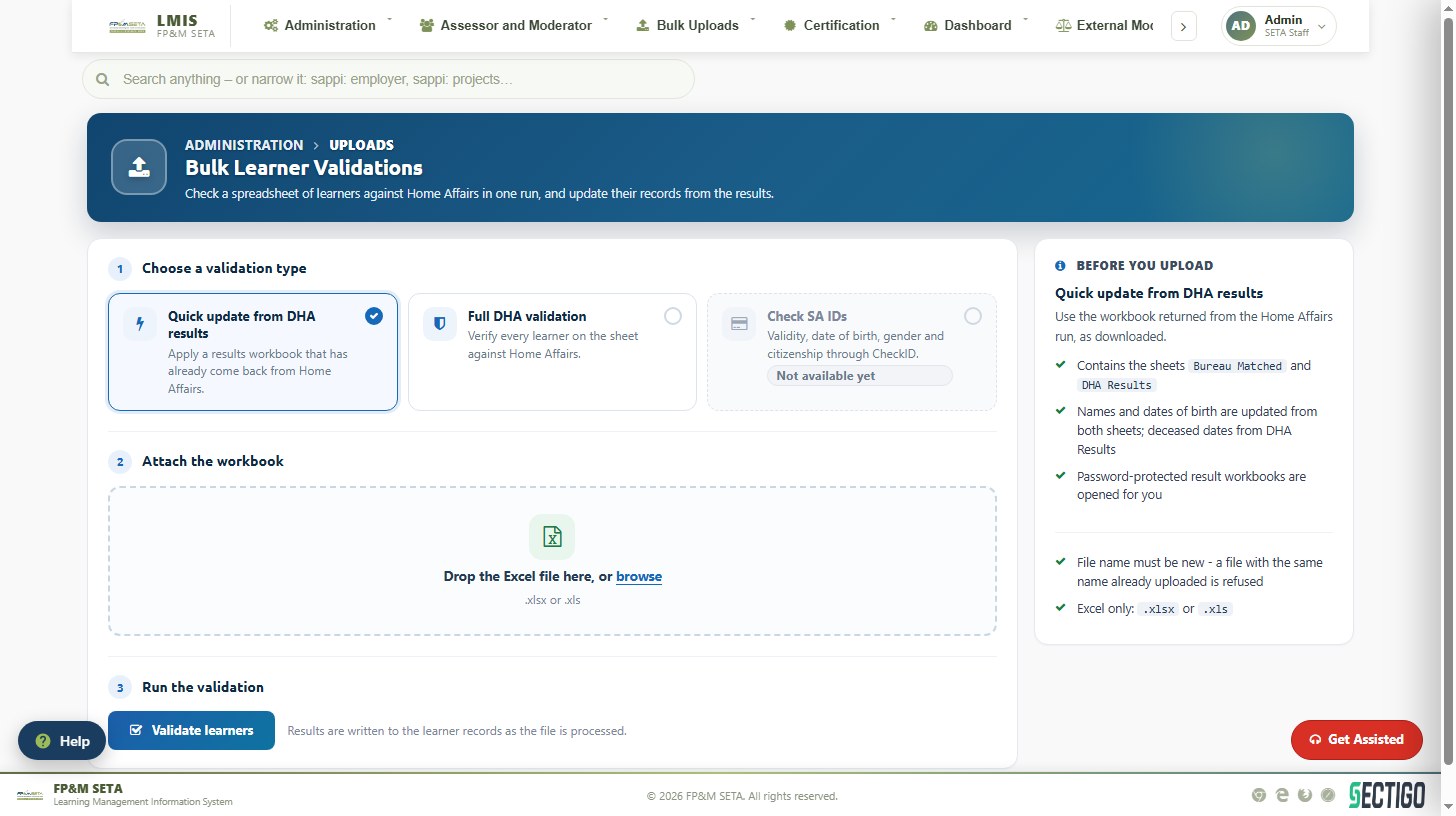
Checks a spreadsheet of learners against the Department of Home Affairs and updates their records. Choose Quick update from DHA results (apply a results workbook already returned from Home Affairs, containing the Bureau Matched and DHA Results sheets) or Full DHA validation (verify every learner on the sheet), drop or browse for the Excel file and click Validate learners. The file name must be new.
Correct Dates fixes enrolment or achievement dates in bulk from a spreadsheet; Upload SDP(s) loads a list of providers.